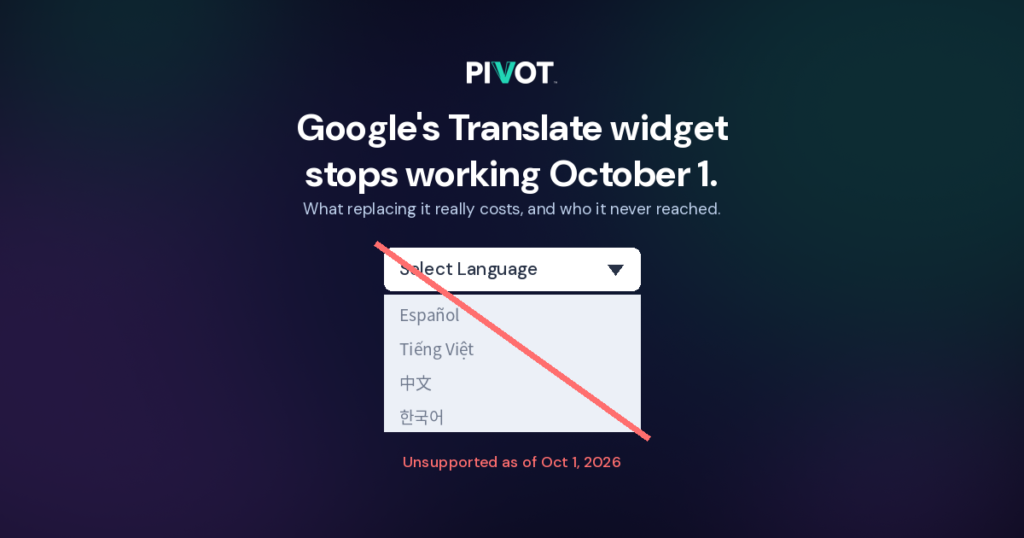
On October 1, 2026, Google ends support for its Website Translator Widget. For thousands of organizations, that widget was the entire website translation strategy.
City departments, state agencies, clinics, school districts, and nonprofits added it for the same reason: one line of JavaScript produced a language dropdown in the corner of the page. It cost nothing, needed no developer, and looked like language access.
Starting October 1, those dropdowns stop working. Any organization that relied on the widget now needs a replacement, and most will find out that the replacement costs real money and still leaves people out.

What is actually shutting down
Google Translate itself is not going away. The Google Translate app, translate.google.com, and Chrome’s built-in page translation all keep working.
What ends is the Google Website Translator Widget, the embeddable google_translate_element script that site owners pasted into their pages to add a language selector. Google is directing organizations that still need automated website translation to its Cloud Translation API, a paid developer service.
This is the second Google translation product to close in two weeks. Google Cloud Translation Hub, its document translation portal for businesses, shut down on September 20, 2026.
The pattern matters more than either product. When language access depends on a free tool someone else controls, your multilingual website is only as stable as their product roadmap.

What replacing the widget really costs
For a large state agency website, replacing the widget with the Cloud Translation API runs roughly $60,000 to $125,000 in year one, then $15,000 to $35,000 a year after that.
Google’s published rate for standard neural machine translation is $20 per million characters after a 500,000-character monthly free tier. Two billing rules push real costs higher. Google counts HTML tags and whitespace as billable characters, and every target language is billed separately.
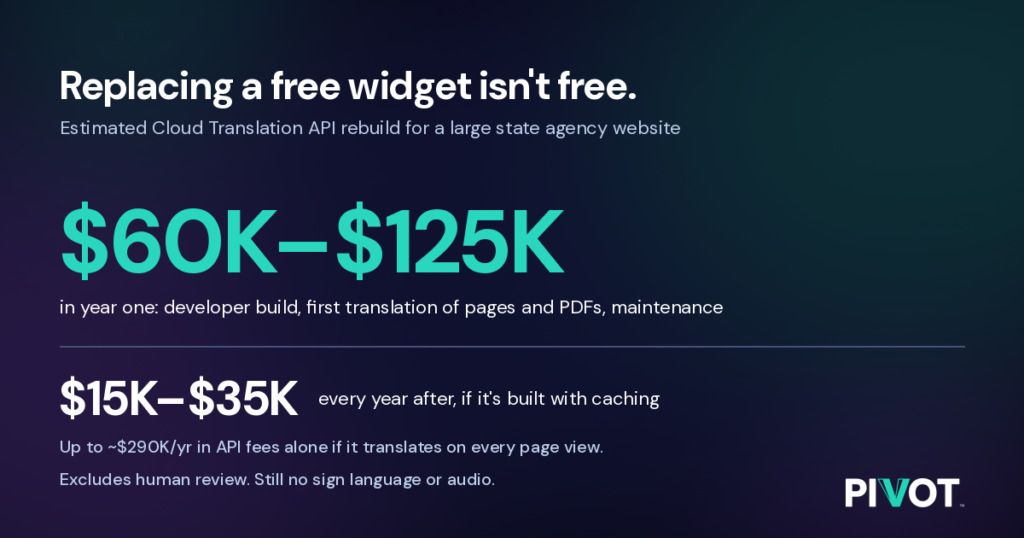
Our illustrative model assumes 4,000 web pages, 2,000 PDFs averaging 10 pages, 10 target languages, and about 2 million page views a month:
Cost item | Estimate |
|---|---|
Developer build: language switcher, caching, CMS integration, QA (250–600 hours at $125–$175/hour) | $35,000–$100,000 one-time |
First translation of web pages (about 480 million billed characters) | about $9,600 one-time |
First translation of PDFs (200,000 pages at $0.08/page) | about $16,000 one-time |
Ongoing API cost with caching (about 25% of content changes each year) | $2,500–$6,000 per year |
Ongoing API cost without caching (translating on every page view) | about $290,000 per year |
Developer maintenance (8–15 hours/month) | $12,000–$30,000 per year |
These figures are estimates, not quotes. Your costs depend on page count, traffic, languages, and how the integration is built.
None of these figures include human review of machine translation. For a benefits agency, a hospital, or a court, publishing unreviewed machine translation of eligibility rules or legal notices is a real liability. We cover that trade-off in AI or Human? Why Language Access Shouldn’t Be a Trade-Off and Language Gaps Are Costing You—Twice.
What the widget never covered.
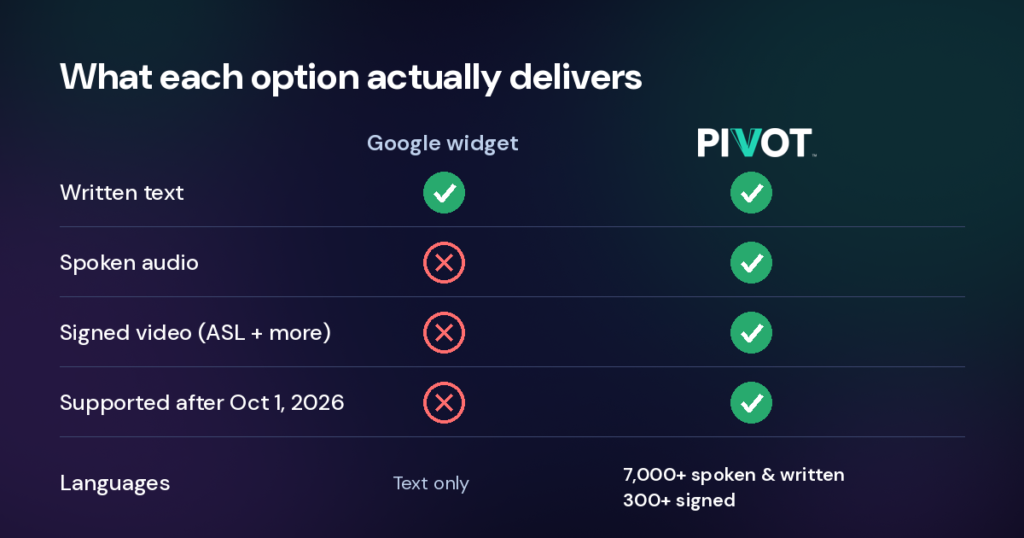
The Google Translate widget did one thing: machine translation of written text on a web page. It never offered sign language, audio, or video. For Deaf visitors whose first language is American Sign Language (ASL), it did nothing at all.

That gap is not small. Signed languages are full languages with their own grammar, not English on the hands. We explain why they have been missing from websites in Websites Have Had Language Selectors for Decades. Why Has ASL Been Missing? and why they are a rights issue in No Human Rights Without Sign Language Rights.
Word-for-word machine translation also misses meaning. Benefits terms, medical instructions, and legal notices need context, not just vocabulary. See Localization vs. Translation: Understanding the Difference and Why It Matters.
The compliance picture points the same way. Public agencies and healthcare providers face obligations under the Americans with Disabilities Act (ADA), Section 504 of the Rehabilitation Act, Title VI of the Civil Rights Act, and state language access plans (LAPs). A dropdown that translates text satisfies none of these on its own. For more, read What Language Access Looks Like in 2026 and Access to Healthcare: The Critical Need for Language Accessibility in Medical Settings.
Language access as infrastructure, not a plugin
PIVOT is built on the opposite model from the widget. It is still one line of code, but it embeds language access directly where your information already lives, with no duplicate pages, no rehosting, and no third-party dependency.
Every piece of content becomes available in three formats: video (signed), audio (spoken), and text (written). That covers 7,000+ spoken and written languages and 300+ signed languages, managed from one dashboard. We call this approach Triple Modality, and it is why PIVOT supports global sign languages, not just ASL.
PIVOT works on websites, apps, kiosks, and other digital platforms regardless of CMS. See No CMS Left Behind: How PIVOT Works with Every Platform and, for what visitors see, What Is the PIVOT Button on Websites — And How Do You Use It?
PIVOT is patent-pending, and the international patent review has found our claims patentable so far. It was named a Silver Winner at the 20th Annual w3 Awards. Public agencies already use it: SENSE Colorado launched its new website with PIVOT.
For the business case, read Cutting Costs, Expanding Access: How PIVOT Delivers Both and How PIVOT Saves Businesses Money.
What to do this week
If your organization used the Google Translate widget, take these five steps now.
- Check your site. Search your templates and page source for
google_translate_elementortranslate.google.com/translate_a/element.js. If you find either, your language selector is breaking. - Remove the dead code. A broken dropdown is worse than none, because it promises access that no longer exists.
- List who you serve. Pull the top languages in your service area, including ASL and other signed languages. Your language access plan (LAP) should already name them.
- Price the real replacement. Include developer time, API usage, caching, maintenance, and human review, not just the per-character rate.
- Ask what the next tool covers. If it only translates text, you are rebuilding the same gap.
For broader digital accessibility basics, see Quick Tips for Enhancing Digital Accessibility and dozanü’s Accessible Digital Marketing Checklist + Glossary. To see PIVOT on your own site, book a demo.
Ready to See PIVOT in Action?
Book a demo and explore how PIVOT can support your organization’s accessibility and language access goals.
PIVOT and Google Translate Widget FAQs
Is Google Translate shutting down?
No. The Google Translate app, website, and Chrome browser side translation continue. Only the Website Translator Widget, the embeddable script for adding a language dropdown to your own site, loses support on October 1, 2026.
What happens to websites that still use the Google Translate widget?
The language selector stops working. Visitors who relied on it lose translated content, and the broken dropdown should be removed.
What does Google recommend instead?
Google points organizations to its Cloud Translation API. It is a paid developer service billed per character, and it requires custom integration work.
How much does the Google Cloud Translation API cost?
Standard neural machine translation is $20 per million characters after 500,000 free characters a month. Google bills HTML tags and whitespace, and charges separately for each target language. For a large public agency site, total year-one costs including development can reach six figures.
Did the Google Translate widget support American Sign Language?
No. It translated written text only. It offered no ASL or other signed languages, no audio, and no video.
Is machine translation enough for language access compliance?
Usually not on its own. Obligations under the ADA, Section 504, Title VI, and state language access plans focus on meaningful access and effective communication. Unreviewed machine translation of vital information is a common gap.
What is multimodal language access?
It means delivering the same information in more than one format, such as signed video, spoken audio, and written text. People choose the format and language that works for them.
How is PIVOT different from the Google Translate widget?
PIVOT delivers content as signed video, spoken audio, and written text across 7,000+ spoken and written languages and 300+ signed languages. It embeds directly into your existing platforms with one line of code, with no duplicate pages or rehosting.
Does PIVOT work with my CMS?
PIVOT is platform-agnostic and works with websites, apps, kiosks, and other digital interfaces. See No CMS Left Behind.
How do I get started with PIVOT?
Book a demo and we’ll walk through your site, your audiences, and the languages you need.
Related reading
- Only 16% of the World’s Population Speaks English. Here’s Why Language Access Must Be Built In.
- The $238B Cost of Misunderstanding in Healthcare (And How to Fix It)
- Language Access Month: Why Modern Organizations Must Move Beyond Text-Only Communication
- PIVOT: The Future of Language Access Technology
- Say Goodbye to the Struggle, and Hello to Simplicity
- Why PIVOT Is Exactly What You Need
- PIVOT Joins the Coalition on Digital Impact
- Building Inclusive Communities with PIVOT: How Language Access Promotes Equality
- Accessibility and the Workplace—Why It’s Good for Business
- Enhancing Social Media Accessibility: Best Practices for Inclusive Digital Marketing
- accesszanü Government Solutions